▣
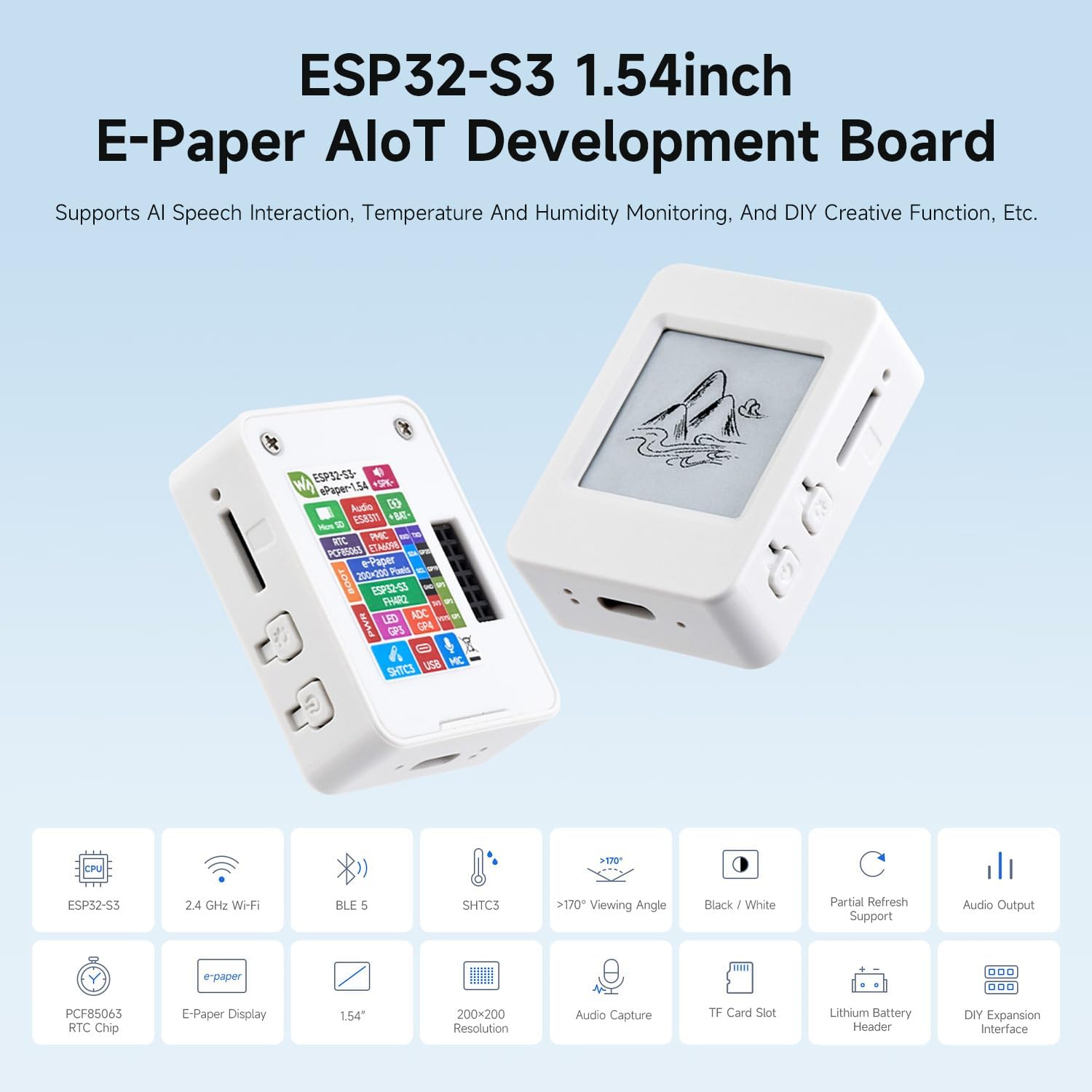
Waveshare ESP32-S3 e-Paper V2
1.54″ · 200 × 200 · black / white
SUPPORTED PROFILE
Plug your board into this computer with a data USB cable. Select only
your own device when the browser asks. Wi-Fi can stay off.
Not connected. Editing and exporting still work.
Choose my USB device
Disconnect
Restore original page
Read current screen
Send current design
This live layout needs newer firmware.
ES1 does not include the new live Wi-Fi icon
or separate hour, minute, day and month fields. The optional
ES2 R2 - Beta below includes them, but requires its own compatibility and
backup checks. Opening this popup does not update firmware.
You can instead send the current preview as a still image. All
readings, times, dates and icons in that image will stay fixed.
Your original editable design and live fields remain unchanged here.
Send preview as a still image
LAST COMPLETED DISPLAY REFRESH
Current device screen
Reading never changes or refreshes the panel. Load to edit locally,
then choose Send only when you want to apply your changes.
Load into editor
Display refresh
Connect your own USB board to read or save display refresh settings.
Automatic refresh interval
Every 5 minutes
Every 15 minutes
Every 30 minutes
Every hour
Every 2 hours
Every 4 hours
Every 6 hours
Every 12 hours
Every 24 hours
Custom whole minutes
Minutes · 5 to 1440
Connect your board to read its saved refresh interval and sound
choice.
Save refresh settings to board
Read refresh settings
Saved on this board for every layout and template. Defaults are one
hour and sound OFF. Selection changes apply only when you click Save;
they do not send your design or turn Wi-Fi on.
Automatic timing starts from the last completed screen refresh. A
shorter interval may already be due. Send, BOOT refresh and Wi-Fi
state changes can still request an earlier refresh. The sound plays
after an actual screen update, not during reads or editor changes.
Weather polling is a separate setting below. The refresh-interval live
field displays the saved screen interval, not weather polling or a
countdown.
BOOT button action
Hold BOOT for about one second during normal operation. Short presses
and PWR stay unchanged.
Assign a long-press function
Turn Wi-Fi on / off
Refresh the current screen now
No action
Connect your device to read its saved button action.
Save button action to device
Saved on this board, independently of your design. Changing this
setting does not perform the selected action or change Wi-Fi.
New users: install ES1 first unless you want to test ES2 R2 - Beta.
ES1 and ES2 are eenkstudio firmware versions, not board revisions.
Both options are only for the Waveshare ESP32-S3 1.54″ E-Paper AIoT
Development Board V2 ; neither supports the V1 board.
If ES1 is already working, you do not need to reinstall it.
ES1 - Tested - OK
ORIGINAL FIRMWARE · RECOMMENDED FIRST INSTALL
The layout engine is installed once. After that, design edits are sent
as data, not recompiled code. Installation replaces the app on the
board, so back up your existing firmware first.
Install ES1 - Tested - OK Download ES1 app image
Only the app region at 0x10000 is written. Saved Wi-Fi settings and
the existing bootloader/partition table are retained. Do not use this
image on other boards.
ES2 R2 - Beta
BETA FIRMWARE · NOT A PHYSICALLY QUALIFIED RELEASE
ES2 R2 — CONTROLLED PHYSICAL TEST ONLY. The first test build (d3ac1ea0) remains withdrawn: do not reinstall it. R2 restores the confirmed corrupted vendor waveform and prevents automatic low-battery cutoff before the first completed screen. This does not prove your blank panel will recover.
This software-verified build adds the live Wi-Fi icon, separate hour,
minute, day and month fields, and completion-checked OFF shutdown.
It has not completed full physical hardware qualification.
ES1 - Tested - OK above remains the recommended original release.
Only for the Waveshare ESP32-S3 1.54″ E-Paper AIoT Development Board
V2 . Check your unit's V2 marking: identifying an
ESP32-S3 chip alone cannot prove the board revision. Keep USB power
connected throughout. No new screens or designs are sent by installing.
1. Prepare ES2 R2 - Beta and verify backups
Preparation checks compatibility and reads backups. It does not write firmware.
2. Save both backup files
Download the full-flash backup and the app-only rollback above.
Check that both files finished downloading before proceeding.
These contain private device data; keep them local and do not share them.
Keep your original pre-update backups separately; do not overwrite them. A fresh rollback backup from a blank board may contain the withdrawn firmware and is not a known-good recovery image. Never reinstall it blindly.
3. Write ES2 R2 - Beta app and restart
Cancel before writing
Beta writes are app-only at 0x10000, with no
whole-device erase. The necessary app sectors are erased; bootloader,
partition table and data outside those sectors are checked unchanged
before restart. Unsupported security or partition layouts stop installation.
Never use this app image at address zero.
ES2 R2 app: 028a9ac3… · 1,847,136 bytes. If writing or verification fails, keep power connected and your backups safe; do not erase or retry blindly.
Download ES2 R2 - Beta app image only